


Hercules DJCONTROL Inpulse 200 MK3 DJ Controller
Brand :
In stock
12-month warranty · Silent Noise support
Covers defects in materials and workmanship. Normal wear, accidental or liquid damage, and misuse are not covered.
Need help? Send your order number, product name and a description of the issue to our team.
Get product or warranty help Coverage detailsHow it works
Select BillEase as your payment method at checkout, then review your available plan and total repayment amount before confirming.
Expert advice for your setup
Need help choosing? Tell us what you want to do and what you already use. Our team can help you find the right product, check compatibility and choose the accessories you actually need.
Talk to the Silent Noise team → (opens Facebook in a new tab)DJ CONTROLLER
Your first mix starts here.
A compact 2-deck PC/Mac controller with beatmatching lights, dedicated Stems controls and 3-band EQ. Learn the basics without needing a large desk.
DJUCED and Serato DJ Lite included. The computer cable is attached to the controller.
Compatible computer required. Headphones and speakers sold separately; a USB adapter may be needed for a USB-A computer.
Optional extras
Headphones for private cueing and compact speakers are optional. The USB-C cable is already attached.


Delivery calculated at checkout.
Questions? Contact us on Facebook (opens Facebook in a new tab)EXPLORE THE DJ CONTROLLER
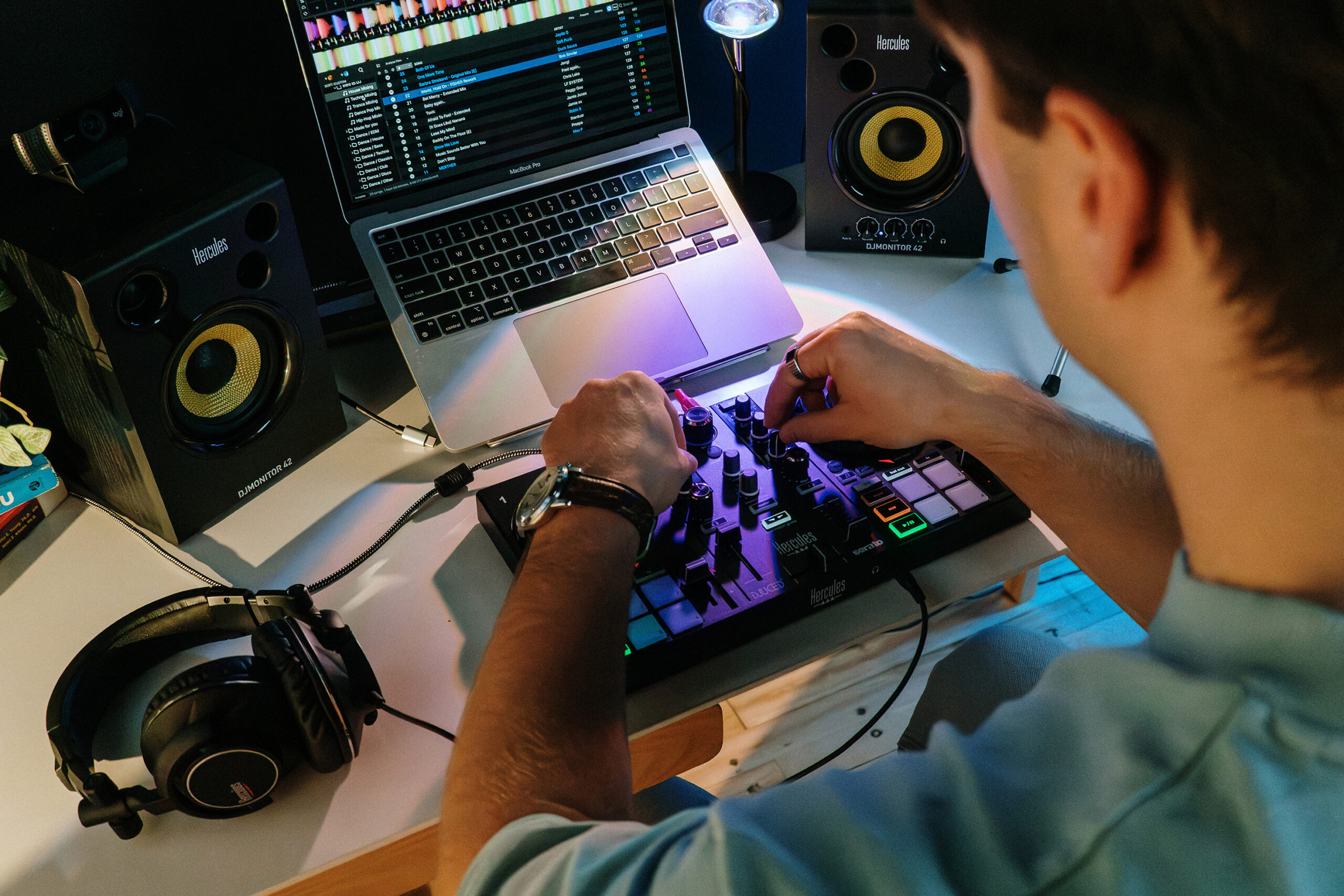
Small desk. Real DJ practice.
Inpulse 200 MK3 puts the essentials in reach: matching beats, shaping the sound and preparing the next song. Its light guides help you get started, while dedicated controls leave room to experiment.
GUIDED PRACTICE
Learn what makes a transition work.
Follow the Beatmatch Guide while you adjust tempo and track position. The touch-sensitive jog wheels give you hands-on timing control; switch off the guides as you become more confident.
GET CREATIVE
Try vocals, instruments and loops.
Dedicated Stems buttons separate vocal and instrumental parts in supported software. Use the performance pads and 3-band EQ to try a loop or shape a transition. A compatible computer runs the music and processing.
START WITH THE RIGHT CONNECTIONS
One computer cable. Separate listening outputs.
The attached USB-C cable supplies power and data from your computer. Connect powered speakers to the RCA master output and wired headphones to the headphone output. Do not buy another USB cable as a replacement for the attached cable.
The essentials
| Controller | 2 decks · 8 performance pads |
|---|---|
| Speaker output | RCA |
| Headphone output | 3.5 mm |
| Connection and power | Attached braided USB-C cable · USB powered |
| Product dimensions | 32 × 19.5 × 4.9 cm |
| Product weight | 0.9 kg |
Product measurements refer to the equipment, not the shipping package.
In the box
- Inpulse 200 MK3 with attached braided USB-C cable
- DJUCED and Serato DJ Lite software
- Documentation and warranty information
Compatible computer required. Headphones and speakers sold separately; a USB adapter may be needed for a USB-A computer.
A few things to know.
What else do I need to start?
Bring a compatible computer and music. Wired headphones let you prepare the next track privately; powered speakers play the main mix. You can use equipment you already own if the connections match. Headphones, speakers and their audio cables are separate unless listed in the box.
Do I need to pay for DJ software?
DJUCED and Serato DJ Lite are included, so you can start with either. Serato DJ Pro is an optional paid upgrade. Music and paid streaming subscriptions are separate.
Can it play music without a computer?
No. This is a DJ controller: it controls DJ software running on a compatible Windows PC or Mac. Your computer stores or streams the music. Check the current DJ software requirements before buying.
Do I need to buy a USB cable?
No. A braided USB-C cable is permanently attached. If your computer only has USB-A, you need a suitable data-capable adapter. This model does not use a removable USB-B cable.
Only logged in customers who have purchased this product may leave a review.
You may also like…


Related Products


Reviews
There are no reviews yet.