


WHY CHOOSE ESSENTIALS
Your teammates and your viewers need different mixes.
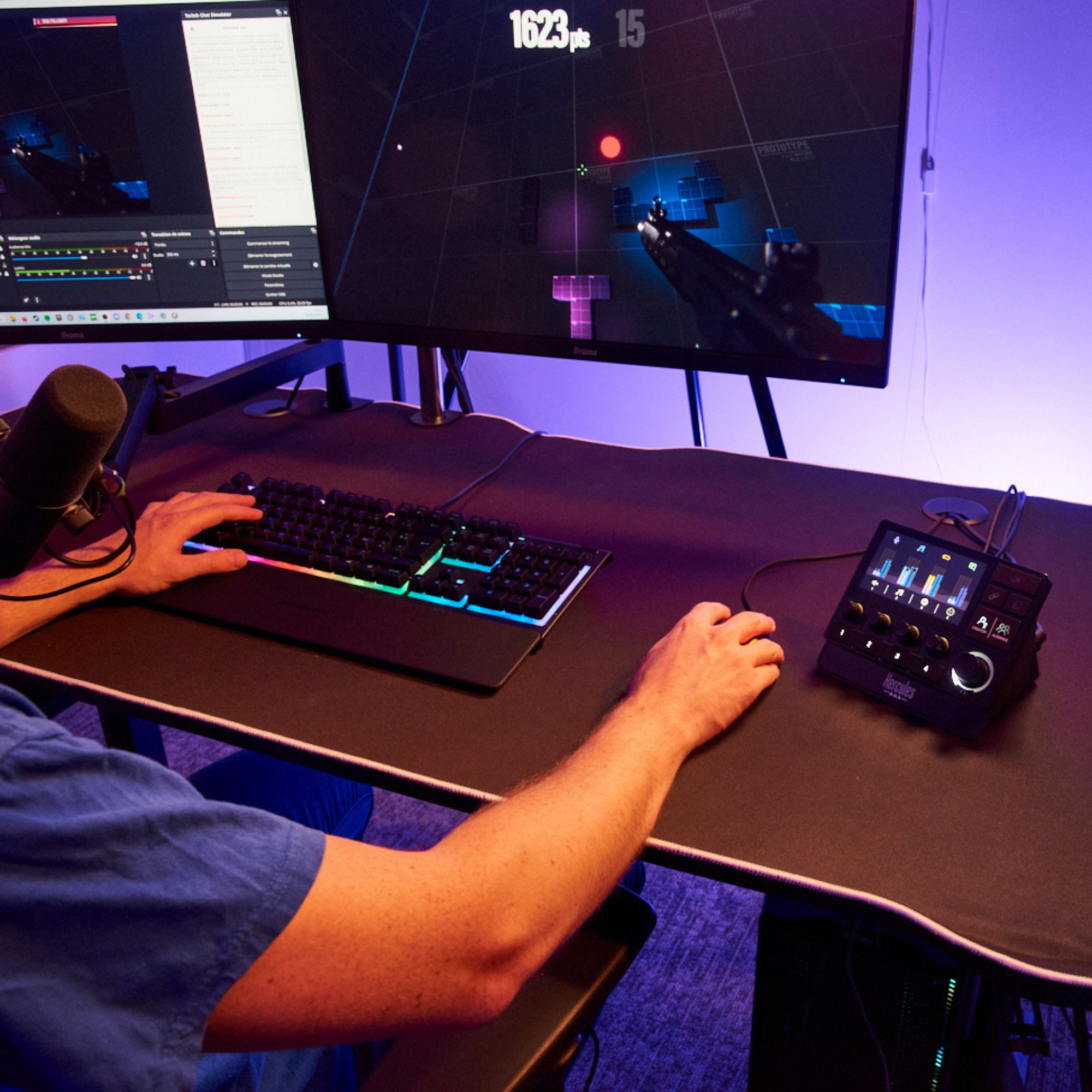
You may need loud team chat to catch the next callout. Your viewers may need less chat and more of your commentary. Essentials lets you set those balances separately, with an XLR microphone and its interface already included.
What you hear
Keep teammates prominent in your headphones while you play.
What viewers hear
Set a separate balance of your voice, game and chat for the broadcast.
A matched mic setup
The XLR mic, interface, desk stand and cables come together. Bring your Windows PC and wired headphones.
SEPARATE MIXES
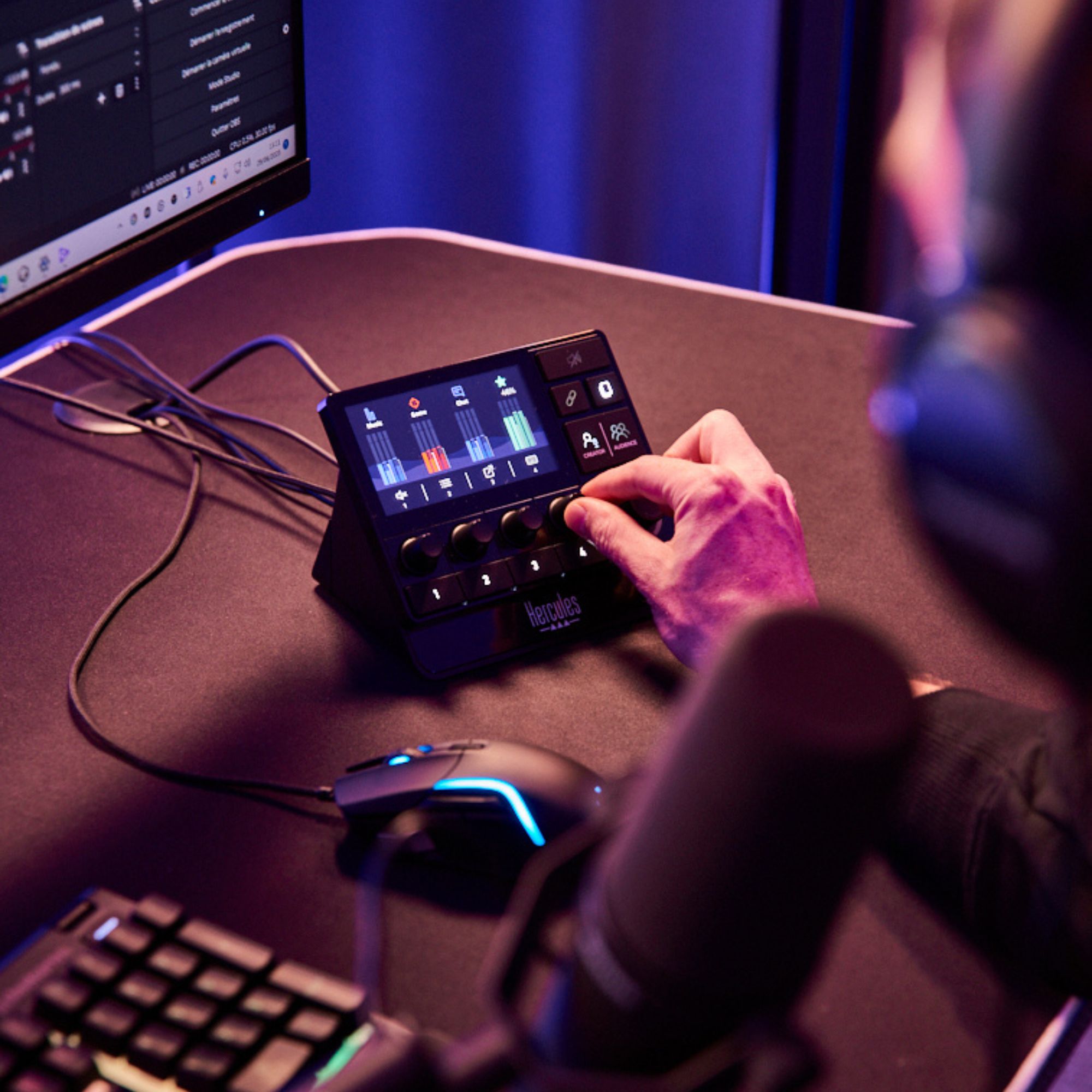
Hear your teammates. Keep your audience mix balanced.
Keep Discord louder in your headphones while lowering it in the broadcast, or set the game at a different level for your viewers. The Creator/Audience button switches between the two mixes; the screen shows what you are adjusting.
See your Discord controls in action.
See how to connect Discord and assign voice-chat actions to Stream 200 XLR. The quick tour also shows how separate Creator and Audience mixes work.
Official Hercules walkthroughs. Set up Stream Control and connect Discord first. Videos load only when you press play.

YOUR VOICE
The microphone and interface are already matched.
The HXD-700 connects to Stream 200 XLR using the supplied XLR cable and mic preamp. Its stand and foam are included. Stream Control provides voice EQ and dynamics controls to help shape your sound. Start with good mic placement and test levels before going live.

CONNECT YOUR DESK
Connect your mic, PC and headphones.
Connect the microphone to the interface, then connect Stream 200 XLR to your Windows PC by USB. Plug wired headphones into its headphone output. Its line and optical inputs also accept compatible external audio sources; a console or second PC may need additional cables or adapters.

CHOOSE THE RIGHT KIT
Choose it for control over your broadcast.
Essentials is the step up when you want independent listening and audience mixes, an XLR microphone interface or additional audio inputs. For everyday PC gaming with a USB mic and desk controls, Stream Starter Kit is the simpler option.
The essentials
| Audio interface | Hercules Stream 200 XLR |
|---|---|
| Microphone | HXD-700 · dynamic cardioid · XLR |
| Headphone output | 3.5 mm stereo |
| Controls | 4 rotary encoders · 4 physical action buttons |
| Software | Hercules Stream Control for Windows |
| Interface dimensions | 15.5 × 11 × 11.5 cm |
| Interface weight | 543 g |
| HXD-700 microphone dimensions | 20.7 × 7.9 × 5.3 cm |
| HXD-700 microphone weight | 380 g |
| Computer requirements | Windows 11 64-bit recommended; updated Windows 10 64-bit supported |
Product measurements refer to the equipment, not the shipping package.
In the box
- Hercules Stream 200 XLR
- HXD-700 microphone
- Metal stand, thread adapter and antipop foam
- XLR cable and external mic preamp
- USB-A to USB-C cable
- Voicemod Pro 3-month voucher, subject to activation terms
- Documentation
Requires 64-bit Windows 10/11 and wired headphones. Computer and headphones are not included.
A few things to know.
What do I need to get started?
A compatible Windows 10-or-later PC, an available USB connection, wired headphones and your streaming software. The interface, microphone, stand, foam, USB cable, XLR cable and mic preamp are included. Install Hercules Stream Control, connect your equipment, assign the app audio, then test your microphone and audience mix before going live.
Follow the official Hercules installation guide, including the driver installation and computer restart. Windows 11 64-bit is recommended; updated Windows 10 64-bit is supported.
Does it work on a Mac, phone or console by itself?
This kit is built around Hercules Stream Control for Windows. Do not buy it for Mac-only or phone-only use. A compatible console can supply audio through the interface’s available inputs, but the Windows computer is still needed for the control software.
Do I need this if I only game with friends?
It can handle gaming and voice chat, but its extra value is strongest when you also want a separate mix for viewers or an XLR microphone setup. If you mainly want a USB mic and convenient game/chat volume controls, Stream Starter Kit costs less.
Can it control OBS, Streamlabs and Discord?
Hercules Stream Control includes integrations for supported apps such as OBS, Streamlabs and Discord. Assign the action buttons to supported shortcuts, such as switching scenes or muting audio. Install current software and check the integration settings for the apps you use.
Does this replace a capture card or camera?
No. It handles audio and control shortcuts. Your camera, video capture hardware, streaming platform and internet connection are separate.
Is Voicemod Pro included forever?
The kit includes a 3-month Voicemod Pro voucher, subject to redemption and activation terms. It is not a lifetime subscription. Hercules Stream Control is the included software used to operate the hardware.
Why choose this instead of just an XLR microphone?
An XLR microphone needs a compatible interface to work with your computer. This kit includes both, plus the mic preamp, stand and connection cables. Stream 200 XLR also adds physical audio controls and separate creator/audience mixes, so the purchase covers more than voice recording.


Reviews
There are no reviews yet.